リサーチインサイトを広める
リサーチインサイトを広める
Slack の活用
#ux_research_reports Slack チャネル
リサーチがレポートを公開する Slack チャネルです。
手順
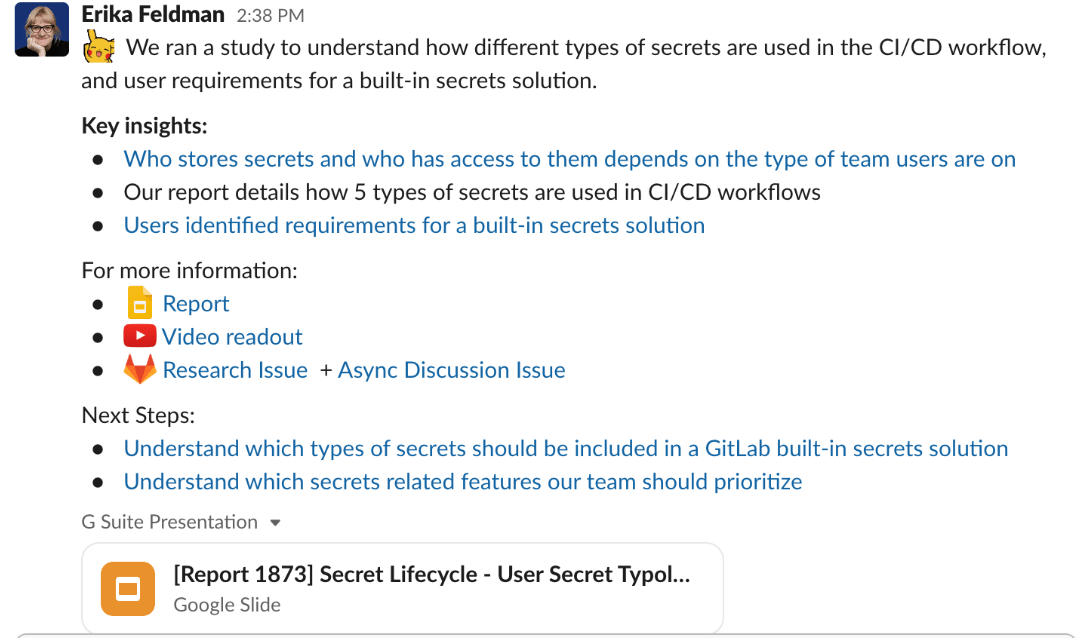
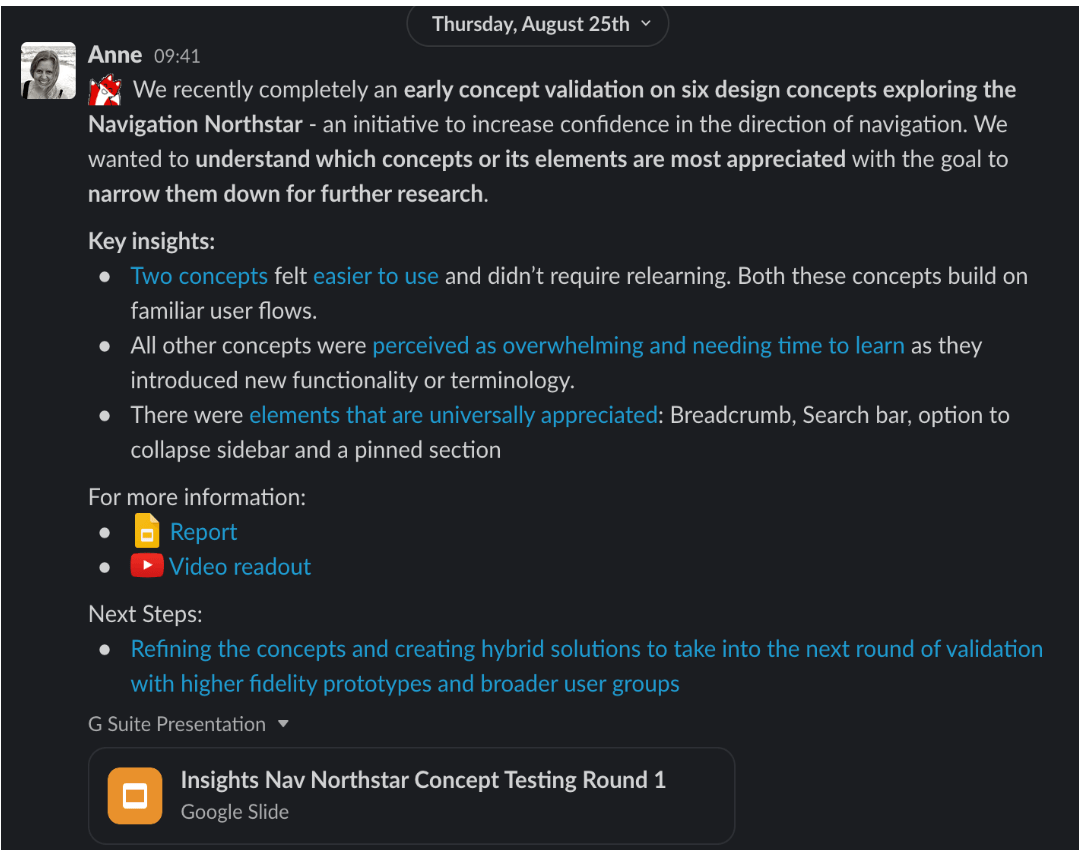
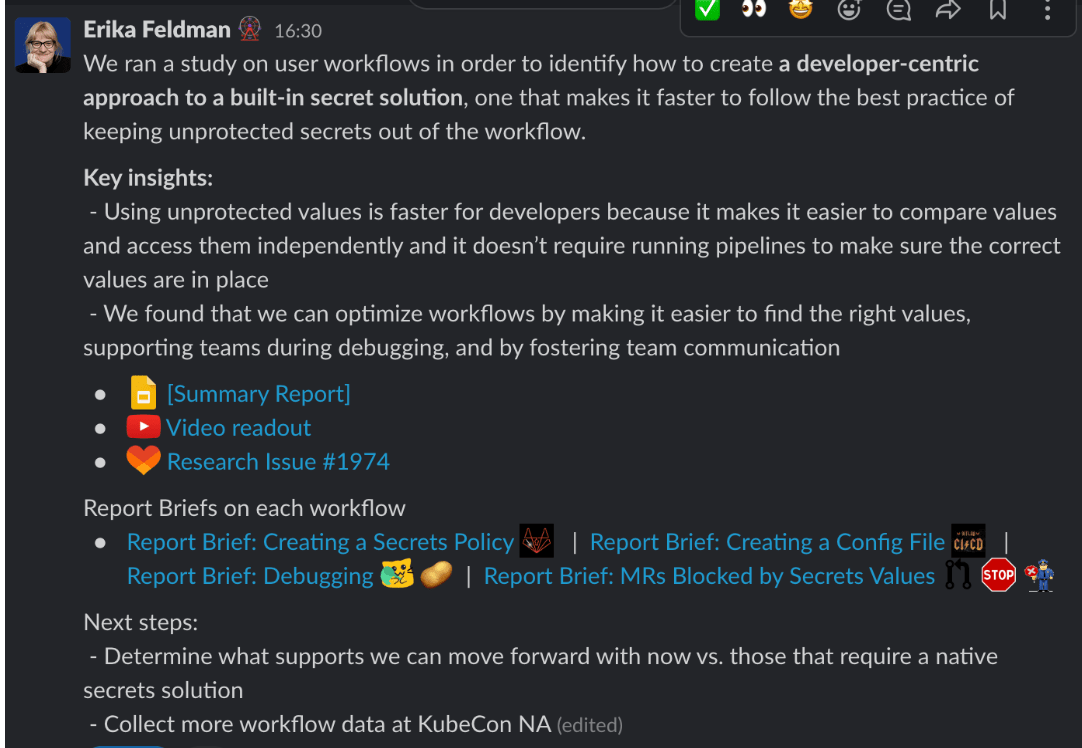
Slack チャネルでリサーチレポート/調査結果を共有するには、以下のテンプレートフローに従ってください。テンプレートを直接 Slack にコピーすると簡単です。どのような情報を含めるべきか、どう提示するべきかを示すため、以前の共有とフォーマットの例を提供しています。質問がある場合は、Slack の uxr_reops チャネルでチームに直接連絡してください!
このチャネルには何を投稿すべきか?
すべての Gold レベルのプロジェクトはこのチャネルに投稿されるべきです。他のプロジェクト(silver、bronze など)も投稿を歓迎します!
コピー元のテンプレート:
[Include one sentence about Why & What you were researching/seeking to prove or disprove. Also link your parent research issue for people to get more details.]

Key insights:
[List your Key Insights that were derived from your research]
Key insight 1
Key insight 2

For more information:
[Include any extra links to reports, Google slides, issues, videos, raw data (if applicable), Dovetail links]
:google_slides: Report [INCLUDE LINK]
:youtube: Video readout [INCLUDE LINK]
:tanuki-heart: Research Issue [INCLUDE LINK]

Next steps:
[Try to include a next steps section to show how the research findings will be followed up. Also link any follow-up issues or discussions that may be relevant. ]
Next step 1
Next step 2
フォーマット
- 重要な情報や特に伝えたい情報は太字にします。
- テンプレートに記載された見出しに従ってセクションを分けます。
- 各セクション内では箇条書きを使い、文字の壁にならないように情報を区切ります。
- 絵文字を使いましょう! 情報を区切ったり、以下のような異なるものを強調したりするために、さまざまな絵文字を使用します:
- :google_slides: リサーチレポート用
- :youtube: ビデオ読み上げ用
- :dovetail_logo: Dovetail リンク用
- リサーチ Issue リンク用には好みの Tanuki
- リンクが多い場合、投稿後は大半のプレビューを非表示にして、ポップアップではなく共有に焦点が当たるようにすることをお勧めします。例で示されているリサーチレポートのような 1 つを残すのは問題ありません。
例
以下は、上記のテンプレートに従って Slack で完了したリサーチレポート共有の異なる 3 つの例です。
月次共有
毎月、ReOps は #ux_research_reports チャネルから 2〜3 のプロジェクトを選び、月次サマリーで広報します。
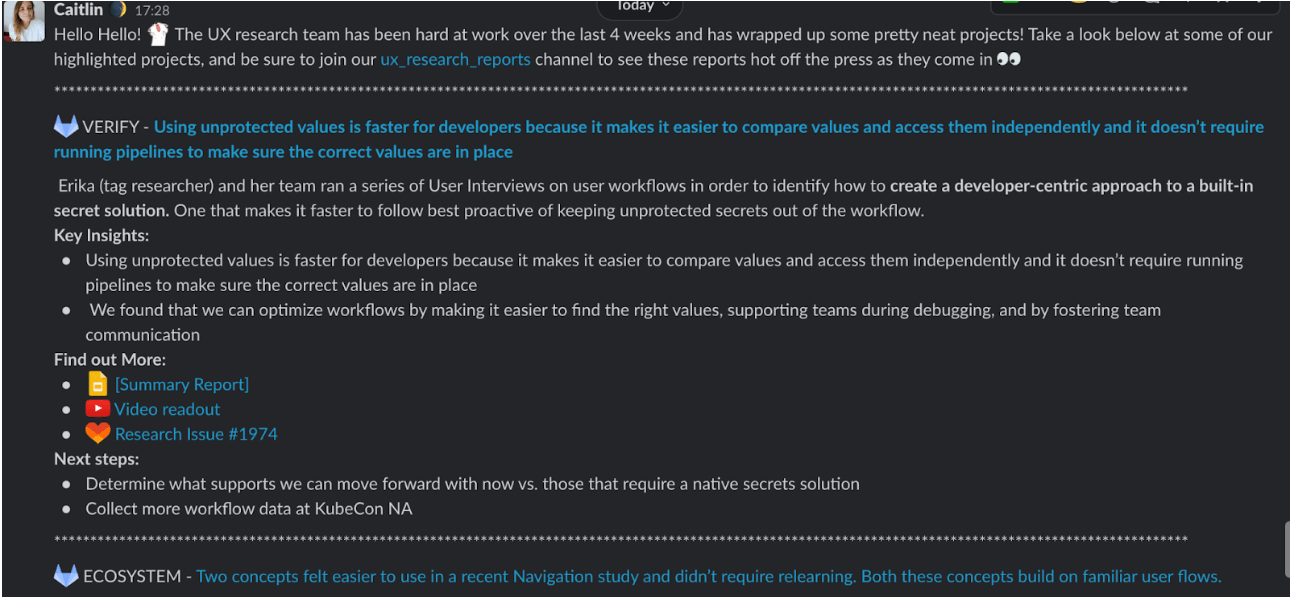
Slack でメッセージがどのように表示されるかに基づき、月次の Slack 投稿で選ばれて共有されるトッププロジェクトは、月に 2〜3 個までにすべきです。以下は月次共有に含めるべきもの、どこに投稿するか、完全な投稿例、コピー元のテンプレートのリストです。
月次共有には何を含める必要があるか?
- Ux_research_reports チャネルへのリンクや投稿(参加を促すため)
- 2〜3 の Gold レベルのプロジェクト
- プロジェクトごとに担当のリサーチャー/DRI をタグ付け
- Slack Research Reports Template の Key Insights 構造に従う
- 上記テンプレートに記載されている影響や次のステップを含める
- 元の Slack 投稿に含まれていたリンクを含める(下記の例を参照)
- 質問がある場合のクロージング文章や指示を必ず含める
月次共有はどこに投稿されるか?
Slack チャネル:
- #whats-happening-at-gitlab
- #experience_research
- #upstream-studios
- #product
例:
コピー元のテンプレート:
MONTH Edition of: :scienceparrot:All things UX Research :scienceparrot:

Include an introduction sentence and a call-out to join the ux_research_reports channel.

---

:party-gitlab: STAGE GROUP - Pick out a key insight and bold it. Link to the Parent research issue. (The link should be the entire sentence to make it stand out.)

List & tag the who (Researcher/DRI) and what/why they were carrying out their research for.
Key insights:
[List the Key Insights that were listed in the original post]
Key insight 1
Key insight 2
For more information:
[Include the links which were provided in the original post]
:google_slides: Report [INCLUDE LINK]
:youtube: Video readout [INCLUDE LINK]
:tanuki-heart: Research Issue [INCLUDE LINK]
Next steps:
[List any next steps from the original post ]
Next step 1
Next step 2

---

:party-gitlab: STAGE GROUP - Pick out a key insight and bold it. Link to the Parent research issue. (The link should be the entire sentence to make it stand out.)

List & tag the who (Researcher/DRI) and what/why they were carrying out their research for.
Key insights:
[List the Key Insights that were listed in the original post]
Key insight 1
Key insight 2
For more information:
[Include the links which were provided in the original post]
:google_slides: Report [INCLUDE LINK]
:youtube: Video readout [INCLUDE LINK]
:tanuki-heart: Research Issue [INCLUDE LINK]
Next steps:
[List any next steps from the original post ]
Next step 1
Next step 2

Include a close-out sentence at the end of your post or instructions for any questions.
最終更新 September 12, 2026: Merge pull request #526 from kyama0/translation/batch-2026-09-12-1 (
a1f3c26a)